
Imaging & Range
See a live rear-camera view with azimuth, vertical angle, approximate center distance on supported LiDAR devices, and an RGB-derived simulated spectrum.
Pocket sensor interface
Explore the sensors already inside your iPhone through a futuristic, real-time interface built for curiosity.
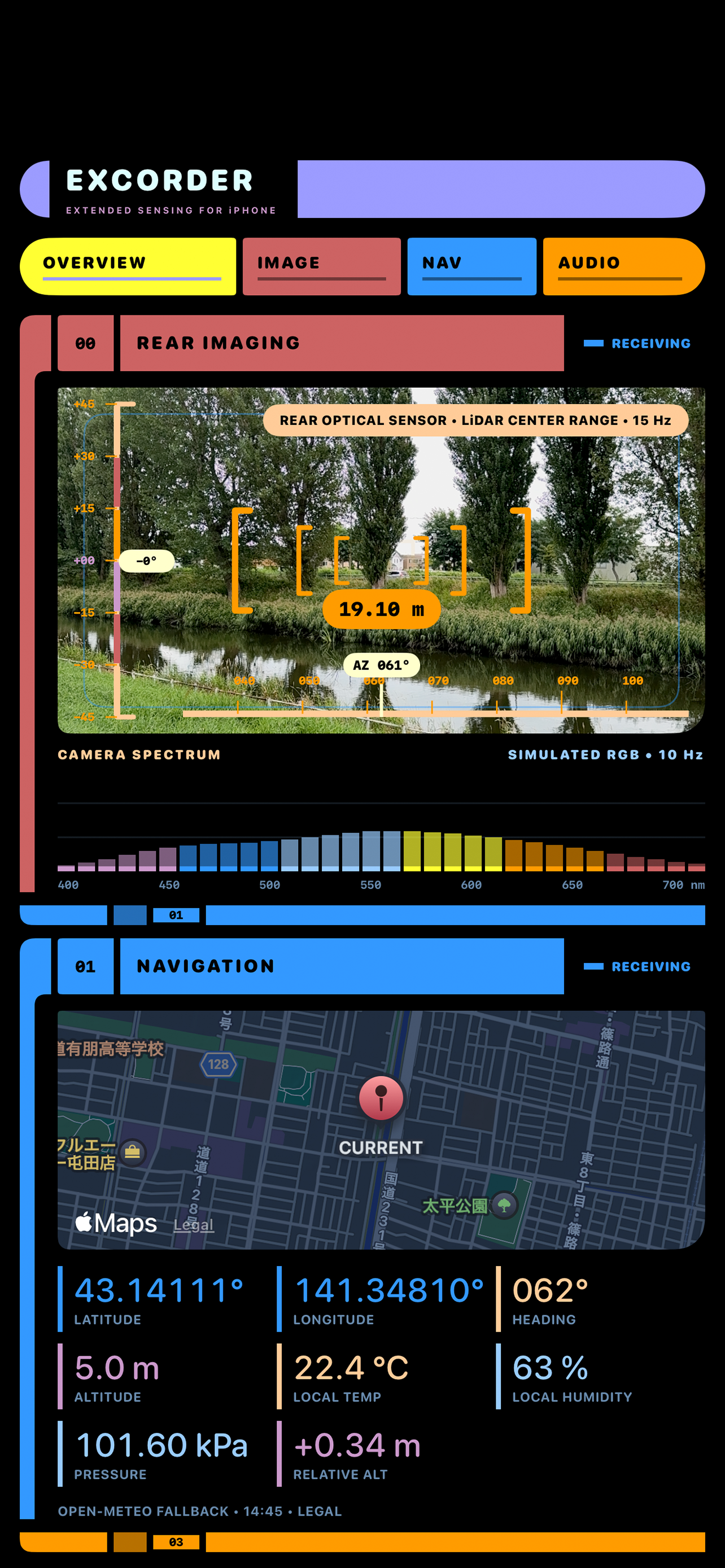
EXCORDER is an iPhone sensor app that transforms the sensors already inside your iPhone into a real-time field scanner. Explore camera images, LiDAR distance on supported models, magnetic fields, GPS position, air pressure, motion and microphone audio in one interface.
01 / INTERFACE
Move through imaging, navigation, acoustic, and new BIO SCAN views designed to keep live measurements legible at a glance.
Combines rear imaging, a simulated camera spectrum, map and environmental readings, plus acoustic analysis in one scrollable display. Tap a section to open its detailed screen.
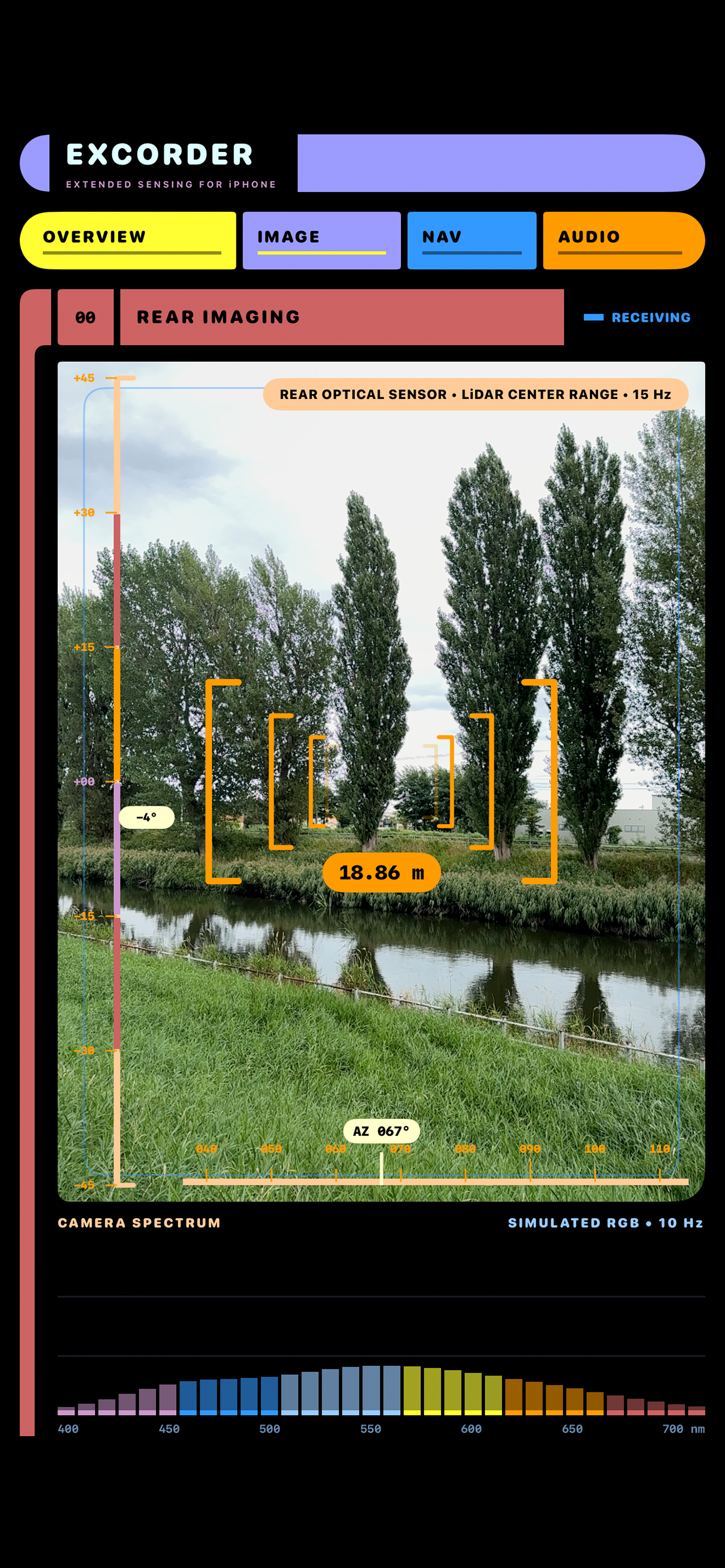
Shows the live rear-camera view with animated targeting brackets, device vertical angle, azimuth, and an approximate center distance on supported LiDAR-equipped iPhones.
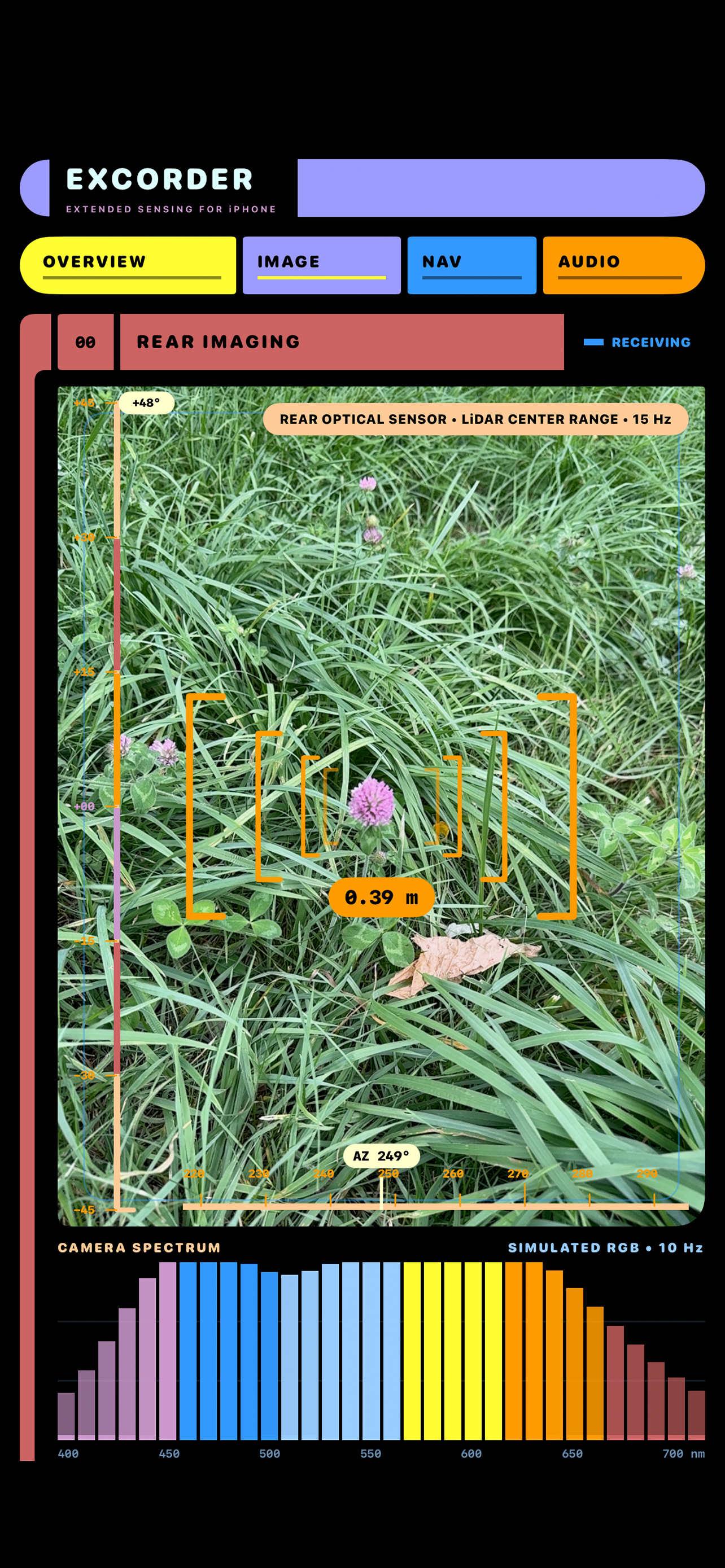
Expands the color around the camera's center into a live 32-band, 400–700 nm visualization. It is simulated from RGB values and is not a physical spectrometer reading.
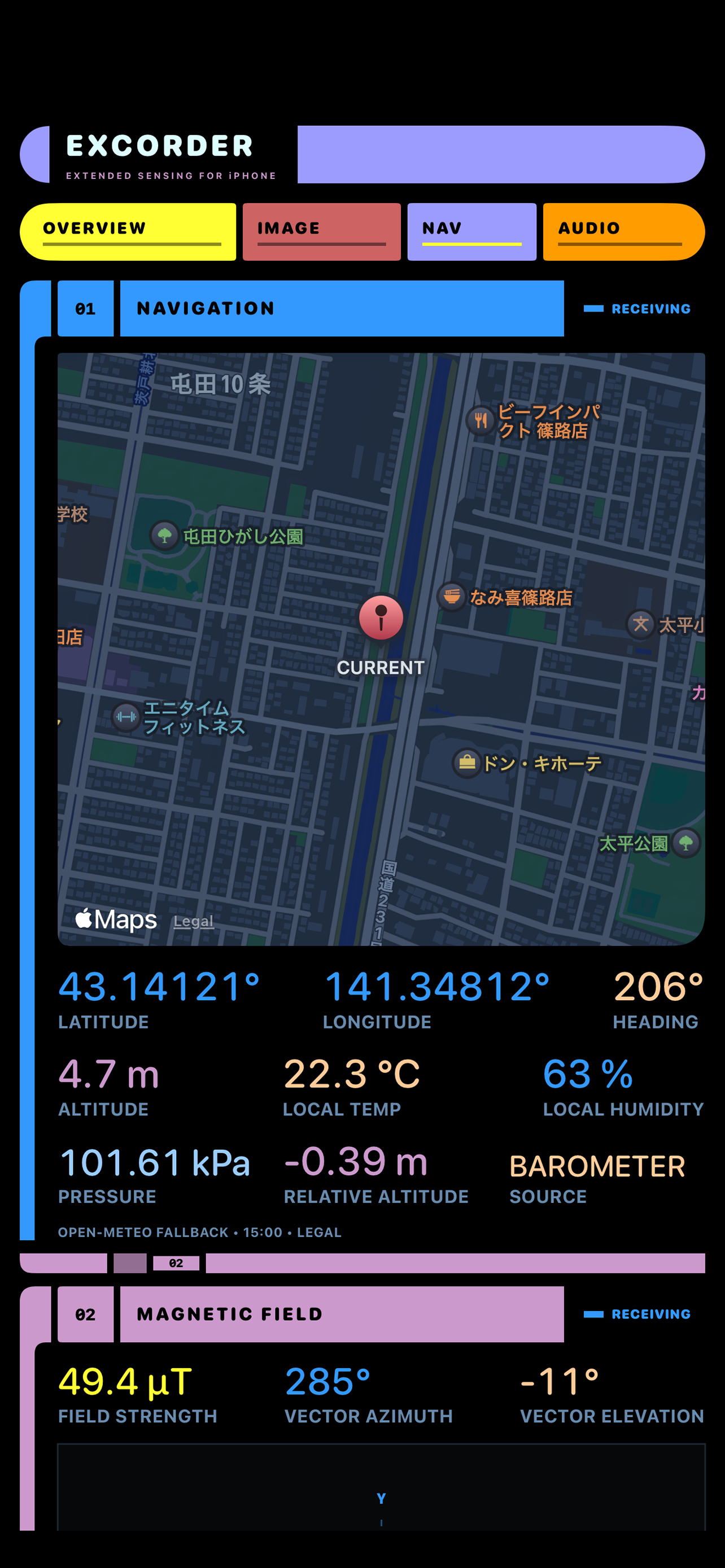
Displays your current position on a map, latitude, longitude, heading, GPS altitude, local temperature and humidity, atmospheric pressure, and barometric relative altitude.
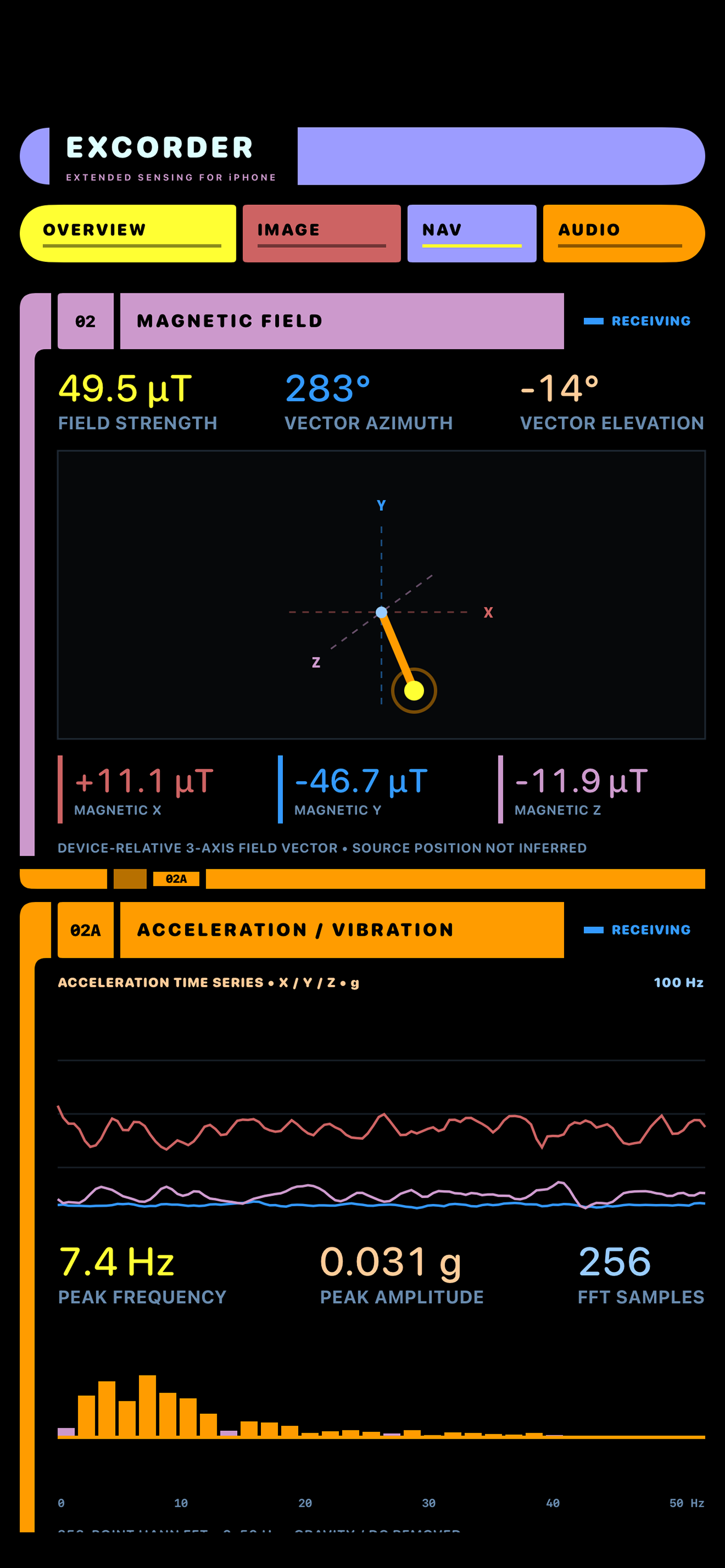
Visualizes three-axis magnetic readings, total strength, vector direction, and a 3D projection. Magnetic strength is shown in µT (microteslas); 1 µT is one millionth of a tesla. A 100 Hz acceleration trace and 0–50 Hz vibration spectrum reveal peak frequency and amplitude.
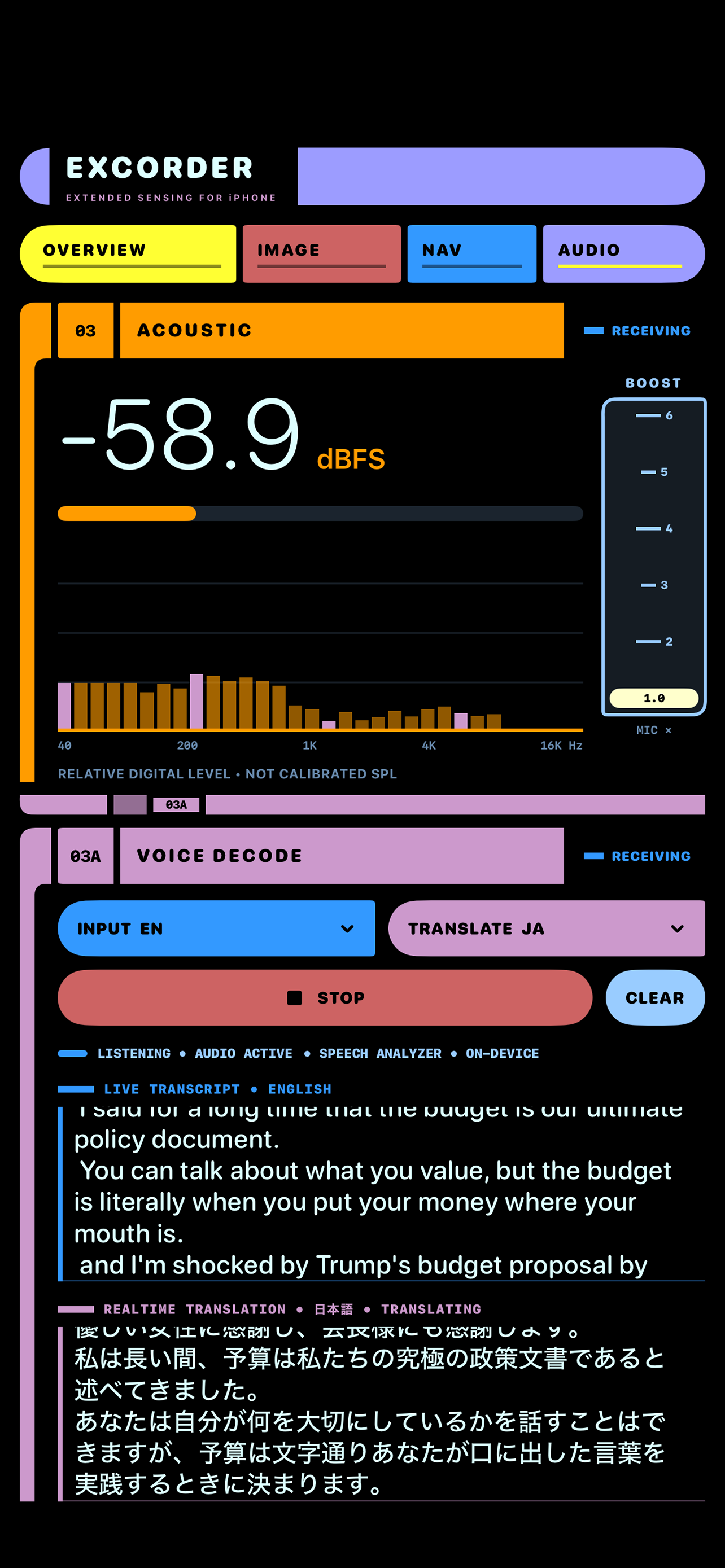
Shows relative microphone level in dBFS, a 40 Hz–16 kHz spectrum, and adjustable digital boost. Voice Decode adds live transcription in six languages and translation on supported iOS versions.
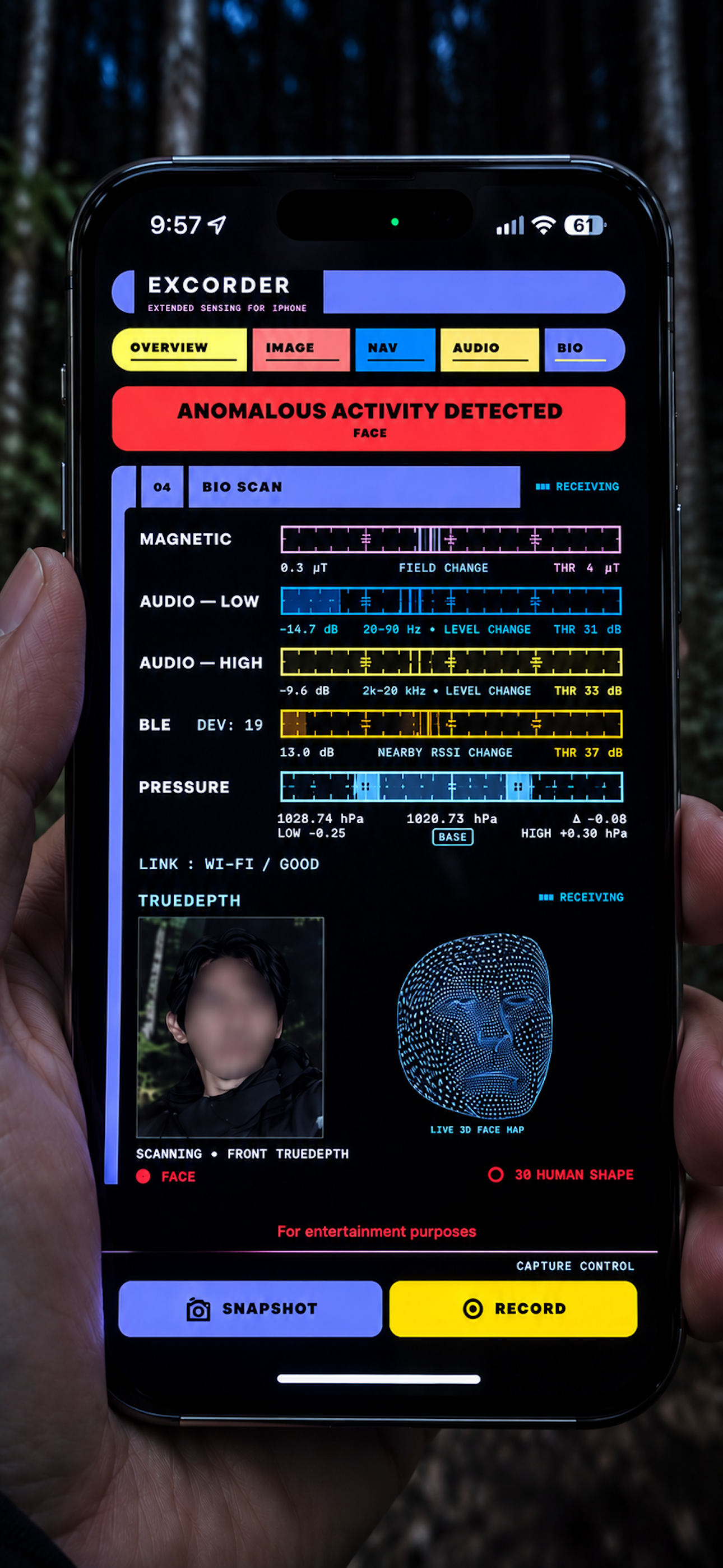
New in version 1.0.5. Visualize changes in magnetic fields, low- and high-frequency audio, Bluetooth LE signal strength, and air pressure, with visual alerts, sound effects, and vibration on detection.
Swipe to explore screens →
02 / CAPABILITIES
Live tools grounded in the capabilities implemented in the app.
See a live rear-camera view with azimuth, vertical angle, approximate center distance on supported LiDAR devices, and an RGB-derived simulated spectrum.
View your position, coordinates, heading, GPS altitude, atmospheric pressure, relative altitude, and local weather context.
Explore three-axis magnetic-field readings, total field strength, vector azimuth and elevation, plus a live 3D projection. Field strength is measured in µT (microteslas), where 1 µT equals one millionth of a tesla.
Follow 100 Hz three-axis acceleration and inspect a 0–50 Hz vibration spectrum with peak frequency and amplitude.
Visualize relative microphone level in dBFS and a live 32-band spectrum from 40 Hz to 16 kHz, with adjustable digital boost.
Transcribe Japanese, English, Spanish, Korean, German, or French live, with translation on supported iOS versions.
You can adjust detection thresholds on screen. Pressure monitoring supports upper and lower limits and a baseline reset. TrueDepth-equipped devices also support face tracking, 3D human pose detection, and a live 3D face wireframe. Version 1.1.0 adds a FACE DETECT ON/OFF control to stop the front-camera view, face detection, and 3D human detection when turned off.
BIO SCAN is for entertainment purposes. Sensor changes do not confirm the presence of living beings. Face tracking and 3D human pose detection require a TrueDepth-equipped device.
See what’s new in version 1.1.0 →* Availability and accuracy vary by iPhone model, iOS version, permissions, conditions, and sensor support. EXCORDER is for observation and reference—not safety-critical or calibrated professional measurement.
03 / SENSORS
The rear camera shows a live view with heading and device vertical angle. On supported LiDAR-equipped iPhones, EXCORDER also displays approximate distance at the center of the image. The color spectrum is simulated from camera RGB data; it is not a physical spectrometer reading.
Inspect three-axis magnetic field readings, total strength in µT, vector direction and a 3D projection. Compass heading helps you orient the camera and navigation views.
See your position on a map, coordinates and GPS altitude. The barometer provides air pressure and relative altitude changes. Local temperature and humidity come from the Open-Meteo weather service, not from built-in temperature or humidity sensors.
Follow three-axis acceleration sampled at 100 Hz and a 0–50 Hz vibration spectrum with peak frequency and amplitude. Core Motion combines motion sensor data, including gyroscope input, for device orientation used in the vertical-angle and magnetic-vector displays.
View relative microphone level in dBFS and a 40 Hz–16 kHz audio spectrum. Adjustable digital boost helps inspect quieter signals. These are relative digital audio levels, not calibrated sound pressure measurements.
04 / HARDWARE
No additional hardware required.
Your iPhone carries cameras, motion sensors, microphones, location hardware, and more. EXCORDER brings supported readings together so you can see what the device is sensing in real time.
Some capabilities—such as LiDAR, barometer data, speech processing, or translation—depend on your device and iOS version.
05 / CONCEPT
EXCORDER combines real sensor data with an original futuristic interface inspired by the measuring tools science fiction taught us to imagine. What once felt like a distant future now fits in your hand.
* Simulated from camera RGB data; not a physical spectrometer reading.
EXCORDER didn’t begin in 2026.
It began around 1973, in Hokkaido, Japan.
I was about nine years old.
One day, by chance, I saw Star Trek on television.
The first scene I remember is Kirk and Spock playing three-dimensional chess.
Then Spock talks about humans — and smiles, just a little.
I was fascinated by Spock.
Science.
Logic.
Computers.
Measuring the unknown, gathering data, and using it to find answers.
“I want to do something like this someday.”
That thought, from a child watching television in Hokkaido, became one of the first steps that eventually led me into the world of computers.
Nearly half a century passed.
Computers, electronics, sensors, communications.
I have spent my life building things along the path that began with what fascinated me that day.
Then came 2026.
I looked at what was already inside an iPhone — cameras, LiDAR, a magnetometer, accelerometers, GPS, a barometer, microphones, and more.
And I thought:
Maybe I can finally build that futuristic instrument I dreamed about as a child.
So I did.
That became EXCORDER.
EXCORDER wasn’t born from market research.
It wasn’t built to follow a trend.
It is the result of a boy in Hokkaido, watching television around 1973, carrying that childhood fascination with him for more than half a century.
1973 — Day 02026 — EXCORDER
07 / CREW
READY / STANDBY
Free download · 3-minute full-feature trial
Unlock all features with a one-time Full Unlock purchase. No subscription.